Patch Atlas

See the whole patch. Edit it by hand.

Patch Atlas is a free patch librarian and visual editor for hardware synths, right in your browser. Every oscillator, envelope, LFO and mod route on one screen, drawn the way it sounds; your patches backed up, named, tagged and searchable.

Open Patch Atlas Free. Desktop Chrome or Edge. Nothing to install, no account.
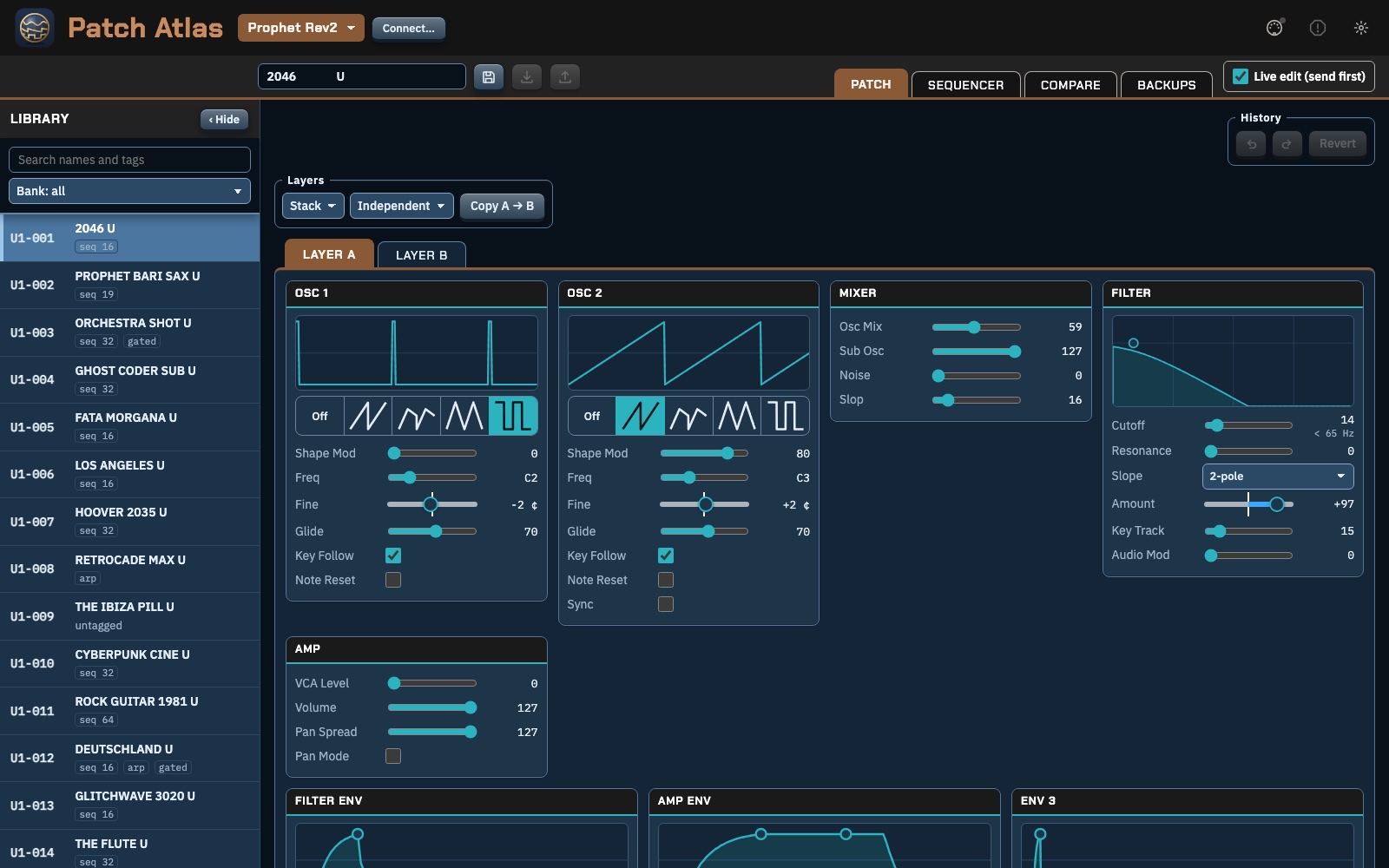
The Patch Atlas editor showing a Prophet Rev2 patch: the library on the left, oscillators, mixer, filter and amp drawn as cards.

What it does

It's built for what a synth's front panel is bad at: seeing everything at once, comparing, naming and keeping patches safe.

The whole patch on one screen

Oscillators show their wave, envelopes their shape, the filter its curve. Drag an envelope's handles or turn a value and hear it straight away on the synth, both layers of a Rev2 patch included.

Turn a knob on the synth and the editor follows.
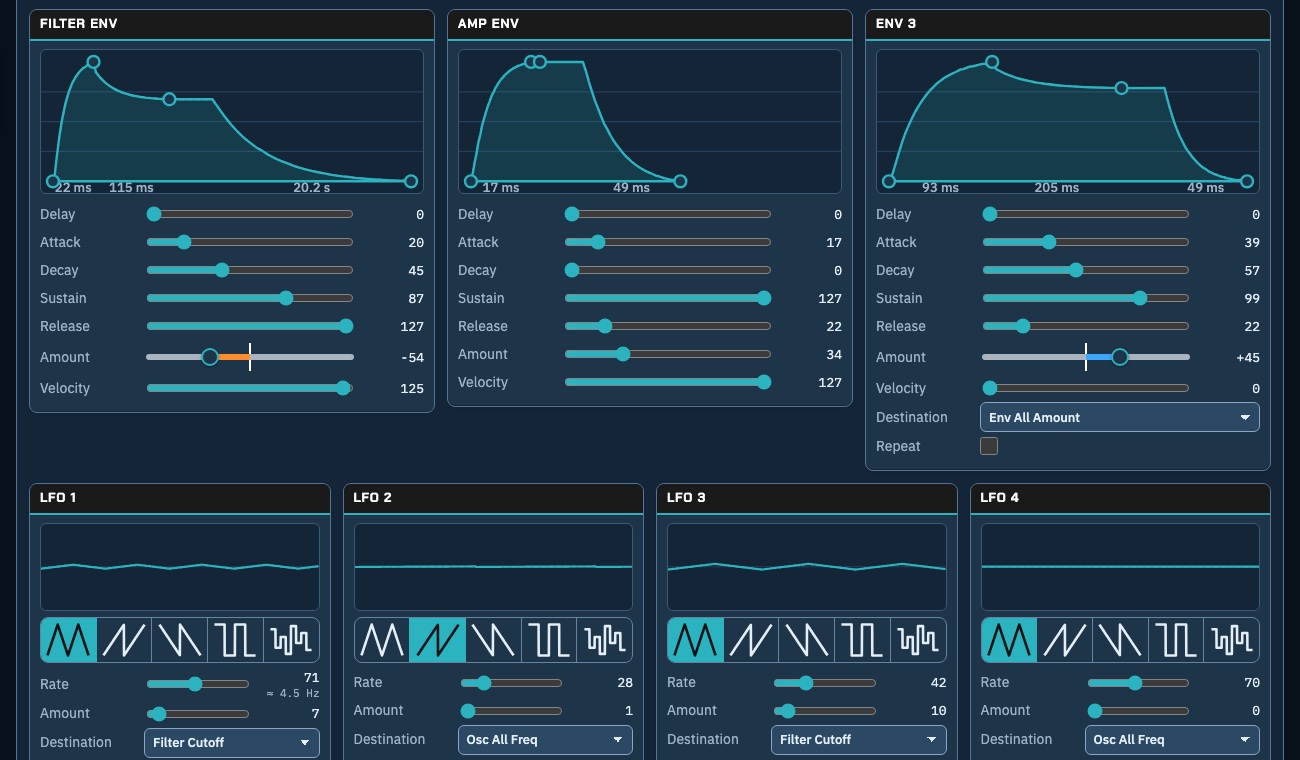
Three envelopes drawn with their times in milliseconds and seconds, and four LFOs with their waves.

Modulation you can read

Every route in use, in one list: what moves what, and how much. Change a source, a destination or an amount in place, or draw a new route on the full map.

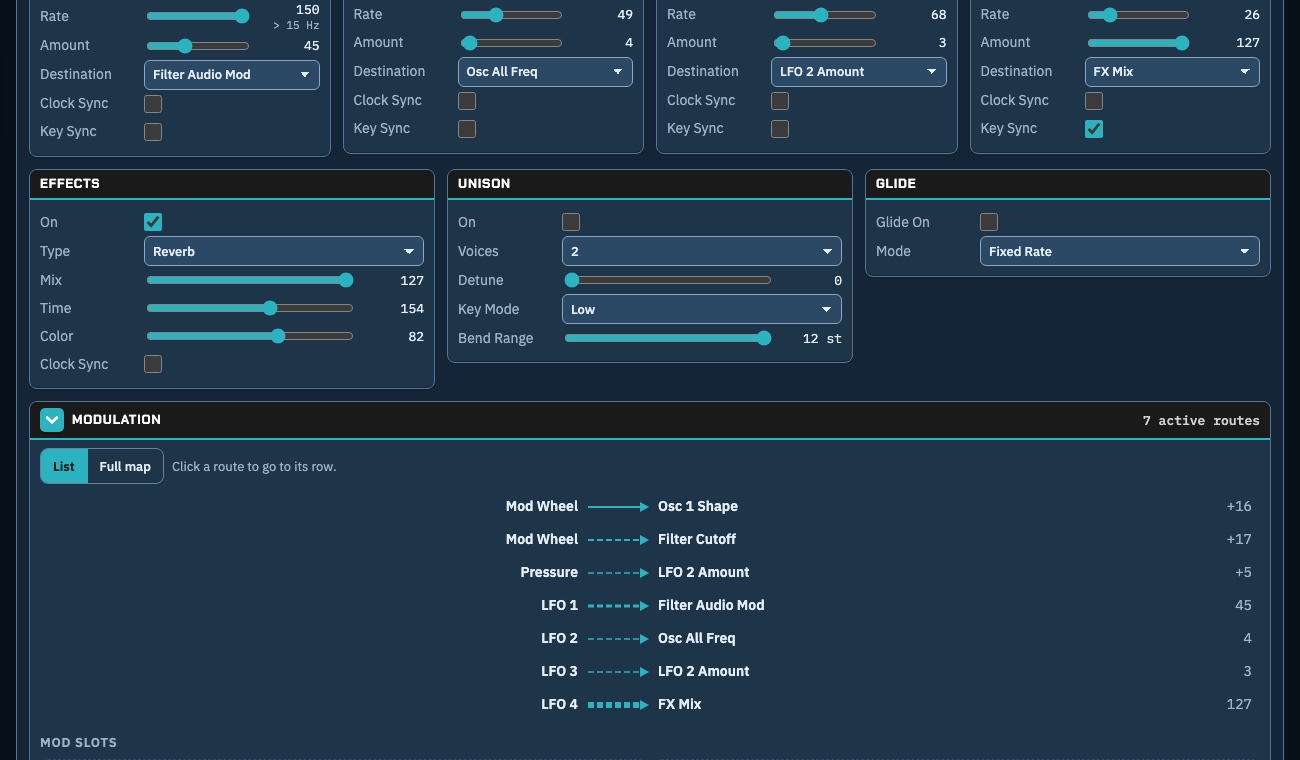
The modulation card listing seven routes, with effects, unison and glide cards above.

Sequences you can see

Choose what a layer plays (off, arpeggiator, poly sequence or gated sequence) and edit it on a grid: draw notes and ties, set velocity, change the length. Play and stop the synth's own sequencer from here.

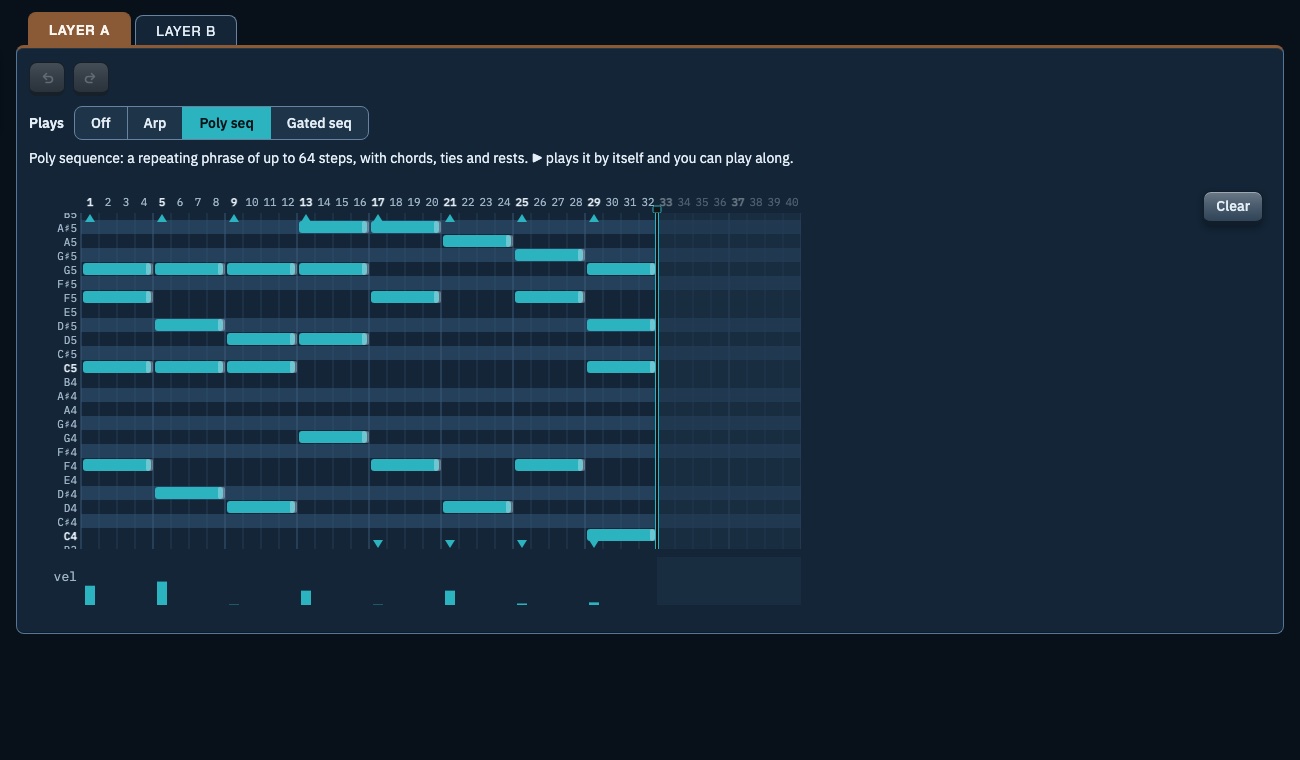
A 32-step poly sequence on a note grid, with velocity bars underneath.

Back up every bank, then relax

Read every bank off the synth, one patch at a time, and keep the copies. Restore a bank later, or store a single patch into a slot: Patch Atlas keeps what was there and asks before it writes anything.

Your library is searchable by name and tag, and spots the same sound saved under two names.

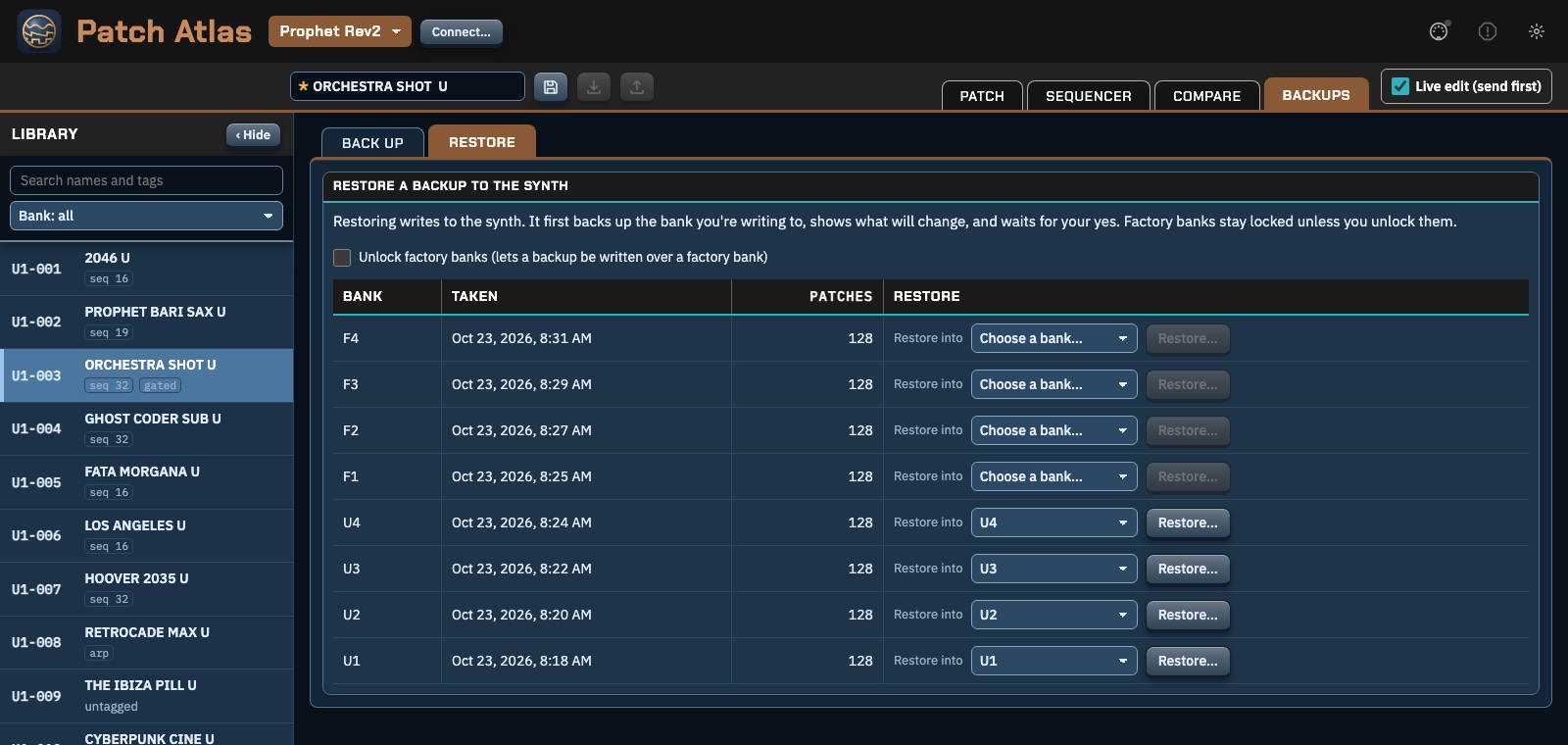
The Backups page, Restore tab: eight bank backups with a Restore into choice for each.

Synths and what you need

One app for many synths. Each one is added only when it's been tested on the real hardware.

Synths

  • Sequential Prophet Rev2 Now
  • Sequential Pro 3 Coming
  • Sequential Take 5 Coming
  • More Sequential and Oberheim synths Later

You'll need

  • Chrome or Edge on a desktop or laptop (Safari and phones have no Web MIDI).
  • The synth connected by USB or a MIDI interface.
  • To allow MIDI access, including SysEx, when the browser asks.
  • On the Rev2: Global MIDI Prog Enable On, and MIDI SysEx Cable set to the port you use.

Your patches, your computer

No accounts, no cloud. Patch Atlas runs in your browser and talks only to your synth.

Private by design

  • Your library is kept in this browser, on this computer. Nothing is sent to us.
  • Clearing the browser's data can erase it, so Export library now and then and keep the file.

Careful with your synth

  • Editing goes to the synth's edit buffer, never a stored slot.
  • Storing to a slot needs every bank backed up first, keeps a copy of what was there, and asks every time.
  • Factory banks are never written by Store.

Use at your own risk

Patch Atlas is free and provided as is, without warranty of any kind. Its makers are not responsible for lost patches, lost data or anything else that happens to your synth, computer or files. Back up first.

About

How it's made

Built clean-room: only the makers' published manuals, SysEx and NRPN tables and factory files, plus our own measurements of real synths. No code or data from other editors.

Feedback

Bugs, ideas, a synth you'd like next: feedback@patchatlas.io